Data in motion / Selected work
WaveLink
A Chrome extension for Salesforce data work: SOQL exports, guided imports, offline conversion, comparisons, and repeatable data jobs in a local browser workspace.
 Published extension · 1.0 in development
01 / The project
The problem to solve.
I built WaveLink to connect the steps around a Salesforce data task: write a query, inspect an export, prepare a file, then review an import. The aim is a reusable browser workspace where the active org and the intended operation stay visible throughout the job.
Decisions / Scope / Result
How I approached it.
Keep the workspace in the browser
A Chrome extension can work alongside the Salesforce session and keep file conversion and comparison local. The tradeoff is taking responsibility for browser storage limits, service-worker restarts and interrupted jobs; these are explicit reliability items in the roadmap.
Narrow the cross-org promise
I replaced the broad migration navigation with a single-object Copy between orgs workflow. This makes the source, destination and review step easier to describe, while deliberately excluding dependency migration and migration-wide rollback from that workflow.
What came out of the work
The project has a published Chrome extension and public source. Newer repository work brings the core workflows into one workspace, with a separate roadmap towards 1.0. A packaged build and a passing automated suite are not substitutes for verifying real Salesforce writes.
The public roadmap still tracks write correctness, scheduling reliability and data fidelity before the 1.0 release. Screenshots below show the identified release candidate, not a claim that every screen is in the store version.
From the project
A closer look at the real work.
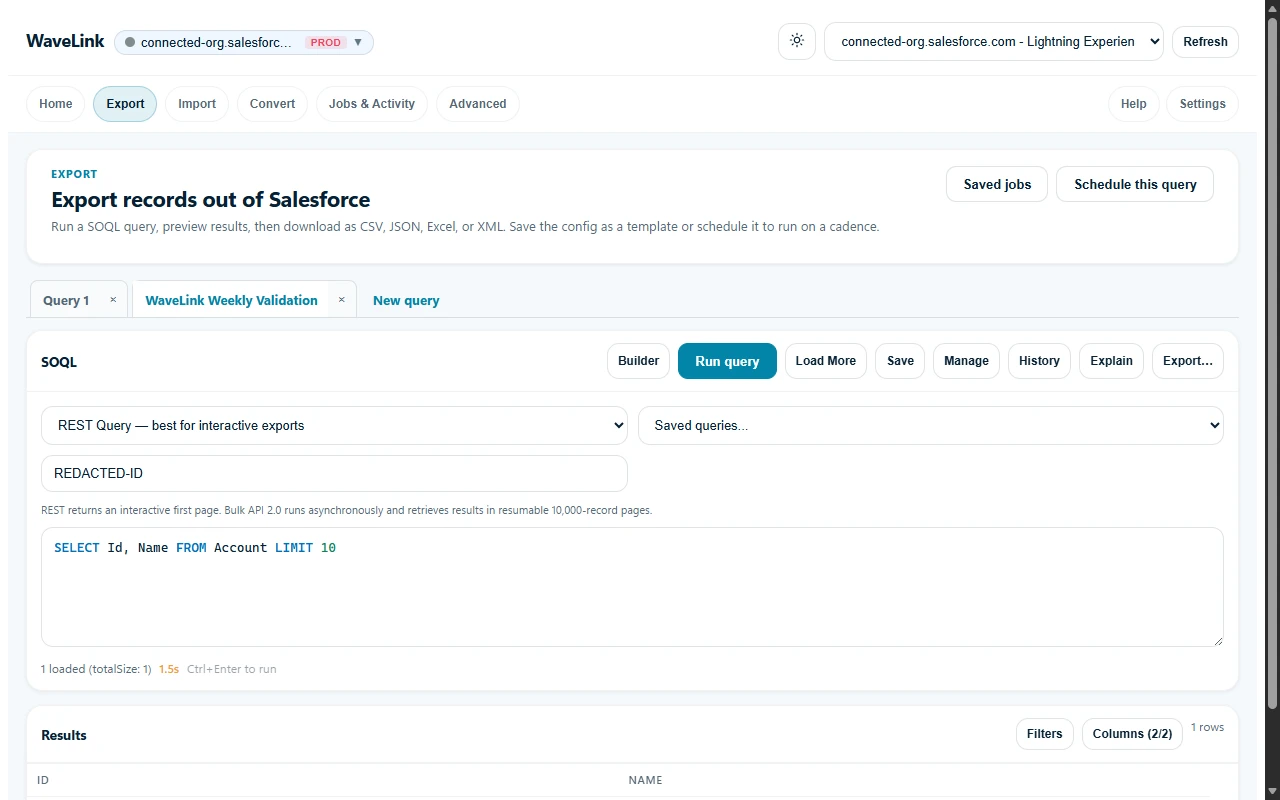
Actual extension screenshot from the packaged v0.6.0 release candidate, captured on 30 August 2026. Organisation, user and record identifiers were redacted before the original capture.
View the screenshot provenanceFrom a query to something useful.
Choose sample data and preview an export.
Sample Salesforce export
SELECT Name, Email FROM Contact
LIMIT 2
A small example of query-to-export. No Salesforce account or live query is involved.
03 / The build
Details that matter.
Combined SOQL exports, offline format conversion, comparison, and guided import workflows using Salesforce REST and Bulk APIs.
Refocused cross-org work on a controlled single-object copy workflow, replacing the larger migration navigation surface.
Developed saved-job and activity workflows, with a public roadmap covering write correctness, scheduling reliability, and data fidelity before 1.0.
Frontend
TypeScript / Preact / Shadow DOM / Command Palette
Data Workflows
SOQL / CSV / JSON / Excel / XML / REST Collections API / Bulk API 2.0 / Offline Comparison
Platform & Quality
Chrome Manifest V3 / chrome.storage.local / Webpack / Jest / GitHub Actions
Have a related challenge?
Let’s talk about your project.
Tell me which Salesforce data task you need to simplify, and where the current process breaks down.